Want to avoid seeing someone on Sugaryy? Our Block List feature makes it easy. You can share your device’s contacts, pick who to block, and we’ll do our best to prevent you from seeing each other.
Important Notes About Block List
- Blocked contacts won’t be notified.
- Blocking someone doesn’t mean they have a Sugaryy account.
- Blocking doesn’t affect existing matches or messages.
- If contact info doesn’t match their account, blocking may not work.
- You can stop sharing contacts anytime in Settings.
- If you prefer, you can manually add contacts instead of sharing your list.
How to Share Contacts to Block Someone
Follow these steps:
- Open Sugaryy and tap your profile icon.
- Go to Settings (Gear Icon).
- Scroll down and select Block List.
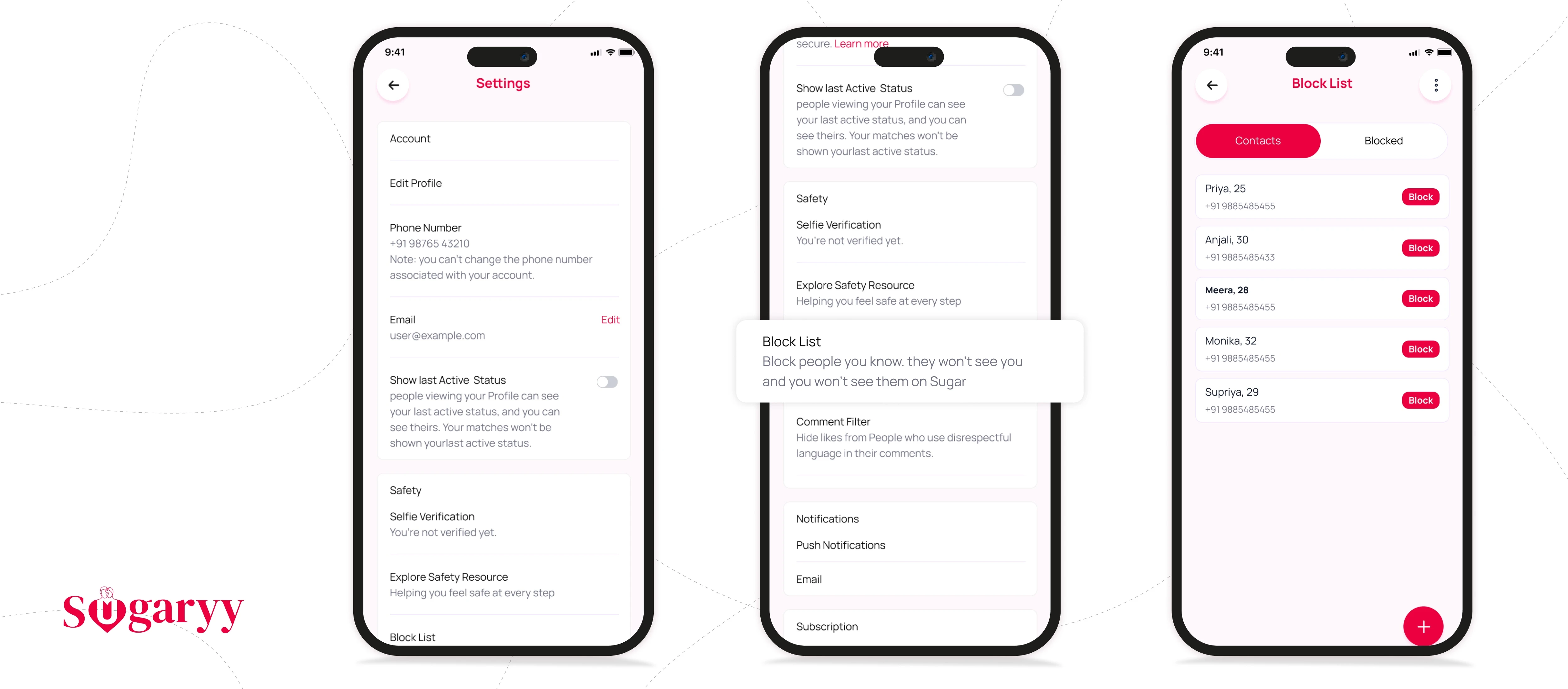
Then you can either:
- Sync Contacts: Allow access and select contacts to block.
- Add Manually: Enter their email and/or phone number and tap Done.
We only keep info for contacts you actually block.
Adding a Contact Manually
If you don’t want to share your contacts, or want to block someone not saved in your contacts:
- Open Block List as described above.
- Tap the + icon at the top.
- Enter the person’s email or phone number and tap Done.
How to Unblock Someone
- Open Sugaryy and tap your profile icon.
- Go to Settings (Gear Icon).
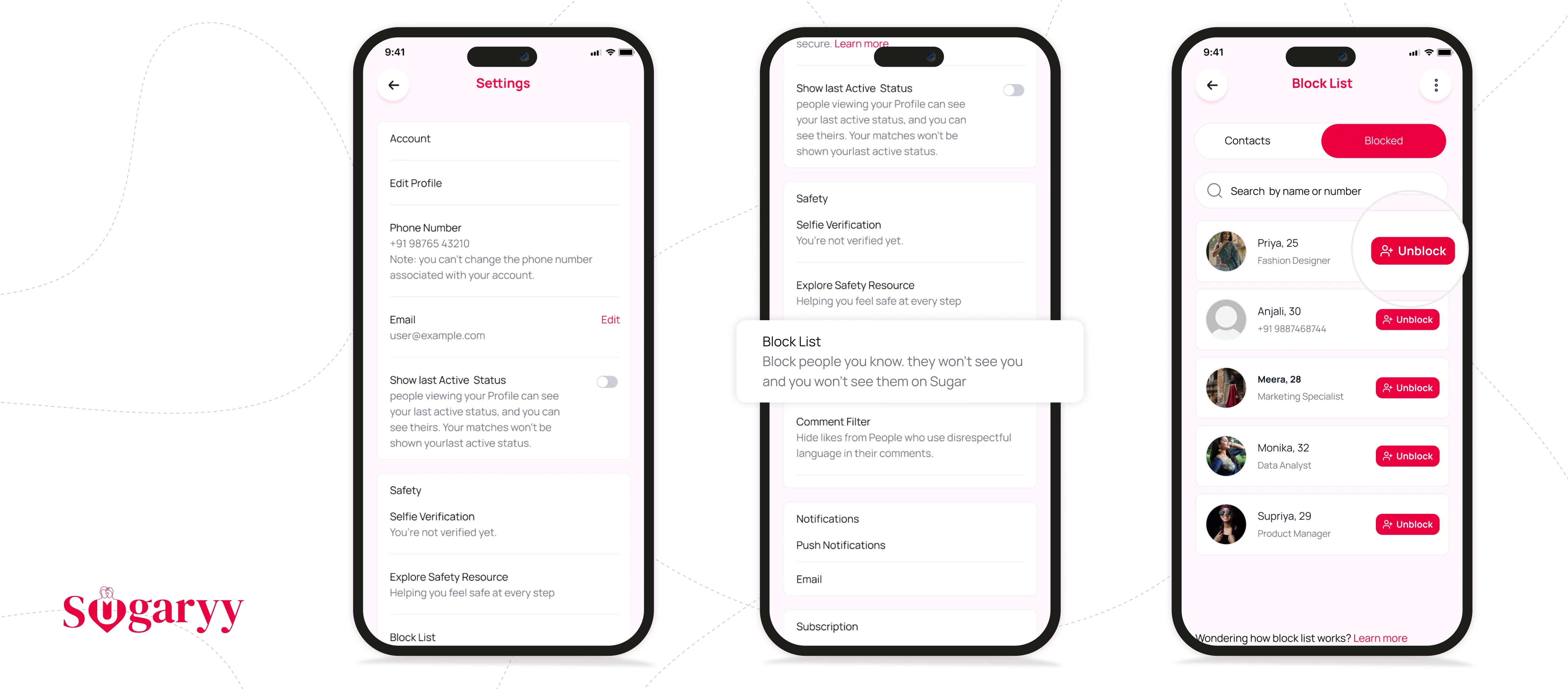
- Scroll to Block List and open the Blocked tab.
- Tap Unblock next to a contact, or use the menu to Unblock All.
Stop Sharing Device Contacts
- Open Block List as above.
- Tap the menu icon in the top right corner.
- Select Disconnect Contacts and follow prompts.
Disconnecting won’t unblock contacts you already blocked—they remain blocked until you choose to unblock them.
How Sugaryy Uses Your Contacts
If you opt in, we use your contact list to make it easy to select people you want to avoid. We pull your contacts each time you open Block List, but only keep info for contacts you actually block (name, email, phone number).
This helps prevent you and blocked contacts from seeing each other—if they created an account using the same contact info.
For privacy details, see our Privacy Policy.