For any profile:
- Open the profile you want to report.
- Tap the three dots in the top right corner.
- Select Report.
- Choose the reason for your report.
- The profile will then be removed.

For users you’ve already matched with:
- Go to your Matches tab.
- Select the profile you want to report.
- Tap the three dots in the top right corner.
- Tap Report.
- Choose a reason for your report.
Note: When reporting a match, you immediately disappear from their view, and they cannot access your conversation or match.
Tips for submitting a report:
- Include screenshots if possible:
- First: tap the upper-right ellipsis on the profile.
- Second: select Report.
- Third: select a reason for reporting.
- Provide as many details as you can. This helps us investigate and act quickly.
For more information on how we handle reports, see our Terms of Service. You can also submit additional details or screenshots using Submit a Request at the bottom of the page.
Why Reporting Matters
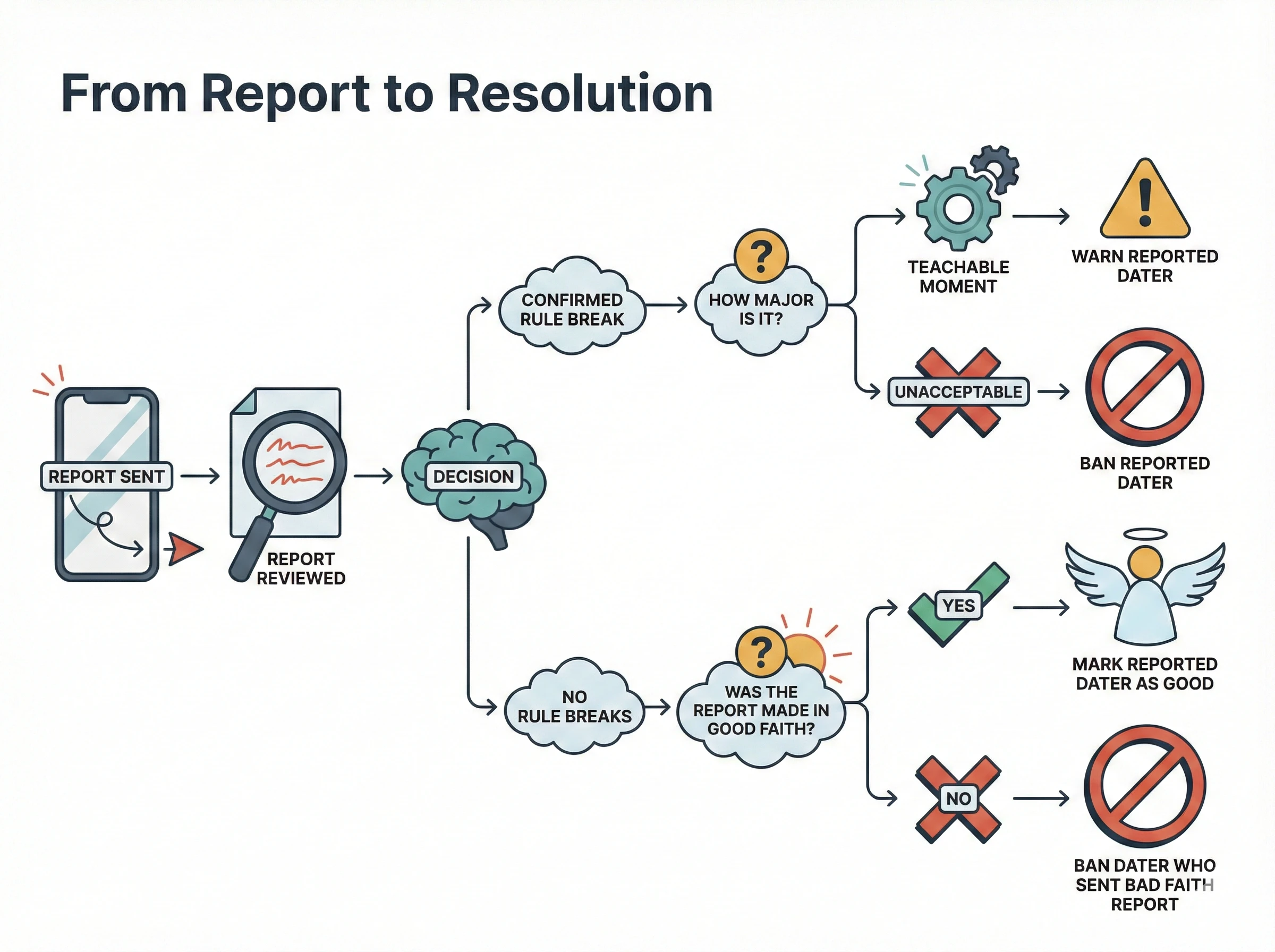
At Sugaryy, we’re redefining dating culture by creating a safe and respectful space where people can form real connections. Here’s what guides our mission:
- Humanize: Make dating authentic, meaningful, and kind by removing shallow swiping and encouraging rich profiles.
- Modern Dating: Focus on helping members find relationships—not hookups, casual chats, or social networking.
- Connecting: Foster real connections that lead to offline dates.
- Relationship-Seekers: Support people ready for meaningful, long-term relationships.
Membership Principles
- Seek a Relationship: Look for meaningful, enriching connections that can lead to long-term relationships—not flings or one-night stands.
- Be Kind: Treat others with respect, even if they’re not your type, background, or share your opinions.
- Be Authentic: Share your personality, quirks, and interests honestly.
If you encounter someone who doesn’t meet these standards, whether in the app or in real life, report them. Members may receive warnings or be banned depending on the severity and frequency of the behavior.
Zero-Tolerance Policy: We do not allow lewd, disrespectful, discriminatory, threatening, or harassing behavior. Our support team reserves the right to take action in all cases.
Need Help?
Our support team is here to assist you anytime. Contact us at: info@sugaryy.co